






Q&A on EDI Systems
If you have already registered to use our company EDI system and you cannot login, please confirm FAQ (Q&A).
If you are unable to login after taking the following actions, please contact us via Inquiries about EDI system.
-
-
Q What is the operating environment for the EDI system?
-
A
The recommended system requirements for our company EDI System are as follows.
OS : Windows11 (64bit)
Web Browser : Microsoft Edge Chromium
MS Office software : Microsoft 365 Apps
-
-
-
Q I would like to set up a PC to use the EDI system. Is there a setting manual?
-
A
Please configure the “Procurement Supplier Portal” and proceed to log in.
If you still prefer to log in from the EDI system, contact our company PIC who is trading with your company.
For details of the setting, please refer to the setting manual page 2 to 9.
-
-
-
Q Changed the PC/OS. (Or I have plans to replace it.) What should I do?
- A Please configure the “Procurement Supplier Portal” and proceed to log in.
-
-
-
Q How can I confirm my electronic certificate?
-
A
You can confirm your electronic certificate by following steps.
Edge “Settings” menu → “Privacy, search, and services” → Column “Security” → “Manage certificates” → “Manage certificates imported from Windows” → Tab “Personal”
The electronic certificate that you can log in to EDI is
Issued To: Your name, Issued By: Canon *****, Expiration Date: Before the expiration date.
-
-
-
Q I want to reissue the electronic certificate by replacing the PC/OS.
- A Please configure the “Procurement Supplier Portal” and proceed to log in.
-
-
-
Q When I click “Login”, it does not goes to the login selection screen. Or, When I click “Login”, it goes to the following error screen.
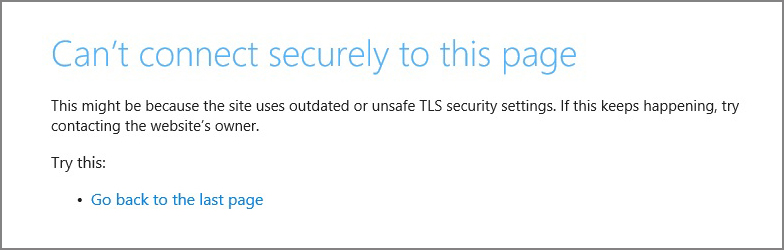
- A You need to install an electronic certificate and set up your PC, but since the system has been migrated, please configure the “Procurement Supplier Portal” and log in from there instead of using the EDI system.
-
-
-
Q Forgot Password
- A You can apply for reissuance by yourself from the "Application of Password Reissuance" displayed at the bottom right of the EDI system login screen.
-
-
-
Q What does User Administrator mean?
-
A
At least 1 of your company EDI system user is registered as the User Administrator.
If you do not know who is your company User Administrator, please contact us via Inquiries about EDI system.
-
-
-
Q "No access or no online open time" is displayed and I cannot log in.
- A Browser settings are required, but since the system has been migrated, please configure the "Procurement Supplier Portal" and log in from there instead of using the EDI system.
-
-
-
Q Want to add/delete users from our company
- A User additions and deletions cannot be handled in the EDI system. These actions can be performed in the “Procurement Supplier Portal”. Contact your User Administrator.
-